
Restaurant Billing Software for Windows & Android
RetailKey Dine by BSD Infotech (formerly BSD Restaurant POS): table billing, KOT, floor plan, counter sale, GST & liquor VAT, inventory, reports and automatic backup, for one PC or several billing counters
Download it, install it on your Windows PC and start billing today. It works without the internet, on your own computers, so billing never stops when the connection does. Your data stays in your restaurant.
Want help installing? Get free setup help · See plans & pricing
Talk to BSD Infotech
Tell us your outlet type (dine-in, QSR, cafe, bar), how many billing counters you have and what you print. We will help you set it up.
Windows or Android?
RetailKey Dine for Windows
For billing PCs and touch POS PCs, from one counter to a main PC with several billing counters on your network: table billing, KOT, floor plan and counter sale.
Available now · free 15-day trial
Download for WindowsRetailKey Dine for Android
For Android POS terminals, tablets and phones: table billing with KOT and floor plan, counter (QSR) and take-away billing, GST and liquor VAT invoices, stock and recipes, customers and loyalty, receipt and kitchen printing over Bluetooth, Wi-Fi/LAN or USB, reports, backup and day-end.
Download now · free 15-day trial
Android download| Windows | Android | |
|---|---|---|
| Devices | Windows 10 / 11 PC or touch POS PC | Android 8.0+ POS terminal, tablet or phone |
| Table billing, KOT, floor plan | ✓ | ✓ |
| Counter sale (QSR, take-away, cafe) | ✓ | ✓ |
| GST bill + liquor VAT invoice | ✓ | ✓ (the same calculation) |
| Payment modes | Cash, card, UPI, credit (collected later), cheque, split | Cash, card, UPI, credit (collected later), cheque, split |
| Stock, recipes, suppliers | ✓ | ✓ |
| Customers, credit and loyalty points | ✓ | ✓ |
| Works without internet | ✓ | ✓ |
| Several billing counters together | ✓ on your local network | One device per restaurant: each device keeps its own data (sharing between devices is planned) |
| Receipt printer | Any printer with a Windows driver | Bluetooth, Wi-Fi/LAN (IP) or USB thermal printer, 58 / 80 mm |
| Reports and backup | ✓ automatic daily backup | ✓ automatic daily backup, copy to a USB drive or other place, day-end cash close |
| Free trial and licence | 15 days, then a licence key | 15 days, then a licence key per device |
| Availability | Download now | Download now (APK) |
Price calculator: pay only for what you use
Start with Lite for counter billing and add only the features you need. Buy once and pay AMC from the second year, or pay quarterly. Prices are valid from , per outlet, plus GST.
1Your restaurant
Extra PC each · Android device each
2Features
3How do you want to pay?
4Setup and training
Your price
Pay nowDownload RetailKey Dine for Windows: free 15-day trial
Full software: every feature works during the trial. To keep using it, email your Installation Code (shown in SETTINGS > LICENCE) to support@bsdinfotech.com and we send your licence key.
First sign-in after installing: user name admin, password admin. The program then asks you to choose your own password.
Windows may show "Windows protected your PC": click More info then Run anyway.
If Smart App Control is turned on (Windows Security > App & browser control), Windows will not let the software start. Please contact us before installing on such a PC.
RetailKey Dine for Android
A native Android app for POS terminals, tablets and phones. Bills are made and stored on the device, so billing works without internet. Download the app, try every feature free for 15 days, then send us the installation code from Settings > Licence for your licence key.
Tables, KOT and counter
Floor plan with running tables, KOT to the kitchen printer, sale with table, split bills, take-away and fast counter billing. Live totals with GST and cess, liquor on a separate VAT invoice, calculated exactly as in the Windows software.
Your choice of printer
Bluetooth, Wi-Fi/LAN (printer IP address) or USB thermal printers, 58 mm or 80 mm paper, with a test print. A bill is saved before it prints, so a printer problem never loses or doubles a bill.
Safe bills
Each bill is saved completely or not at all; a double tap never makes two bills, and an open order survives a restart. Reprints are marked DUPLICATE.
Stock, customers and reports
Recipes take the ingredients of every bill from stock; purchases and supplier balances; customers with credit and loyalty points; sales, tax, payment, stock and customer reports; cashier logins; day-end cash close.
Same rules as Windows 3.1
Version 4.0: mixed payments with UPI QR, credit collection by bill, full and partial returns, combos, add-ons and sizes, happy-hour price lists, production and wastage, shifts, manager PIN, reservations, kitchen display on the device, coupons and Tally export.
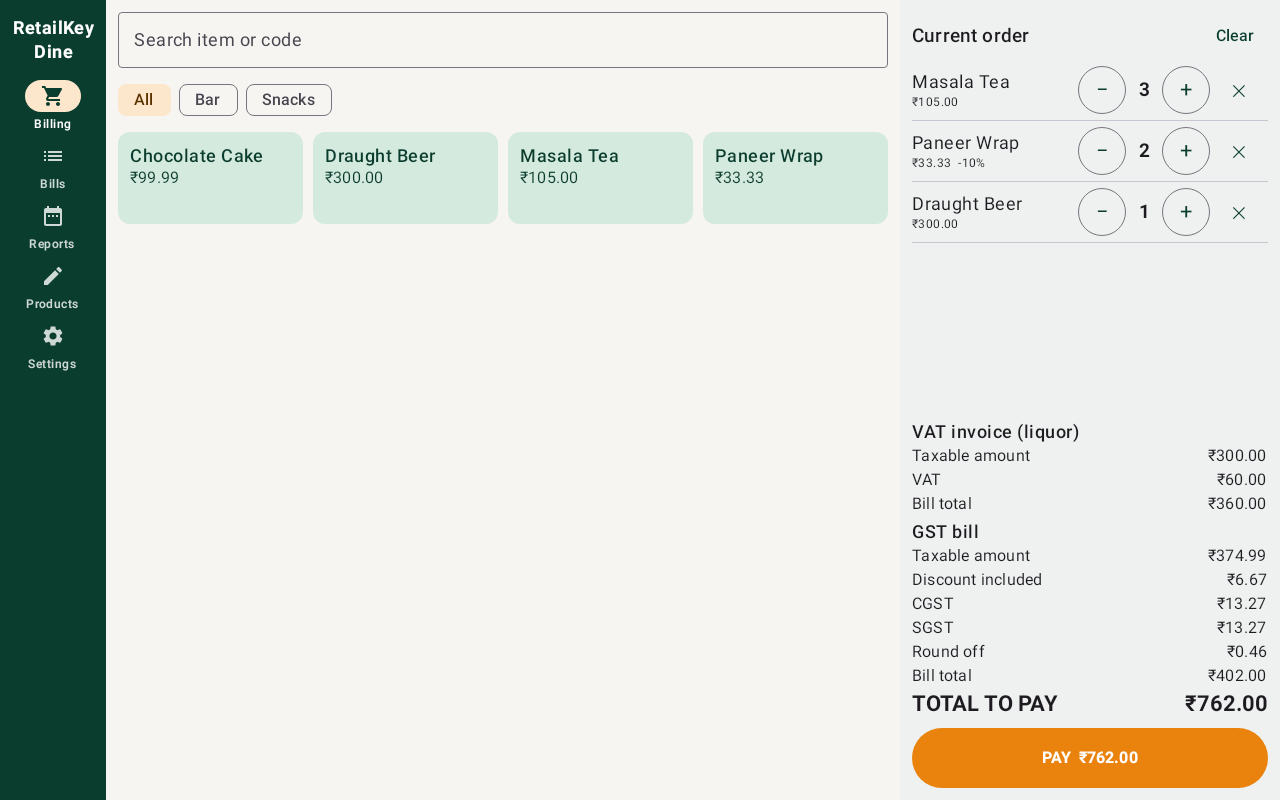
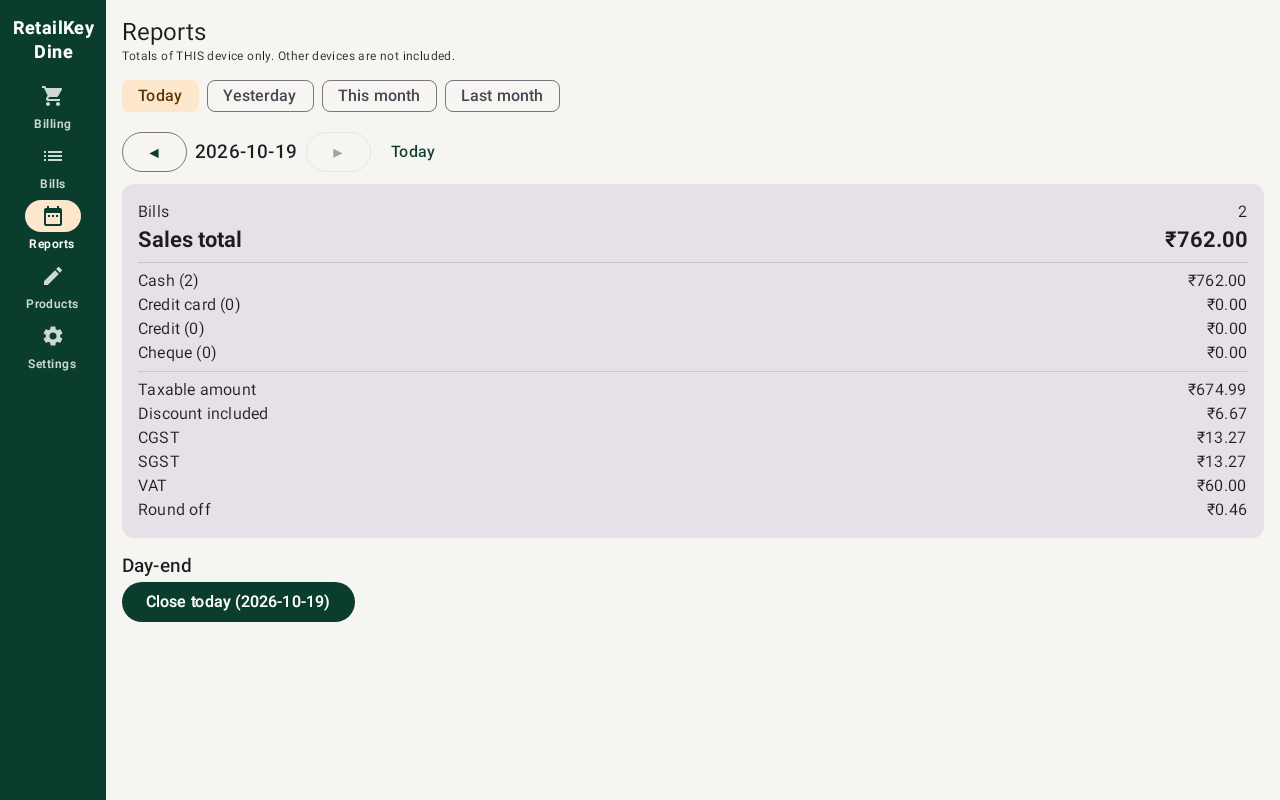
- Open this page on the Android device and press Download for Android (version 4.0.0, about 8.9 MB).
- Open the downloaded file. If Android asks, allow your browser to install unknown apps, then press Install.
- Open RetailKey Dine, enter your restaurant name, the bill-number prefix of this device and an admin password. The 15-day trial starts.
- For the licence: Settings > Licence > Send code to BSD Infotech (email or WhatsApp). Paste the licence key we send you and press Activate. Your bills and settings stay as they are.
Use a test print in Settings to check your printer. If your printer model does not print correctly, tell us the model.
How to Use RetailKey Dine (5-minute Video)
From sign-in and setting up your menu, to taking an order, printing the KOT, making the bill, counter sale, reports and backup: a normal working day, step by step.
 How to use RetailKey Dine · 5 min · Indian English
How to install (3 min)
Download, the "Windows protected your PC" message, the setup wizard, extra billing PCs and the first sign-in (admin / admin).

QSR, take-away or cafe without tables (3 min)
Set up for a counter-only outlet: no table master needed. Every order is billed with Counter Sale (F9).

The videos load from YouTube only when you press play. They show the program under its former name, BSD Restaurant POS.
Everything a Restaurant Needs, from Counter to Kitchen
Tables, KOT and floor plan
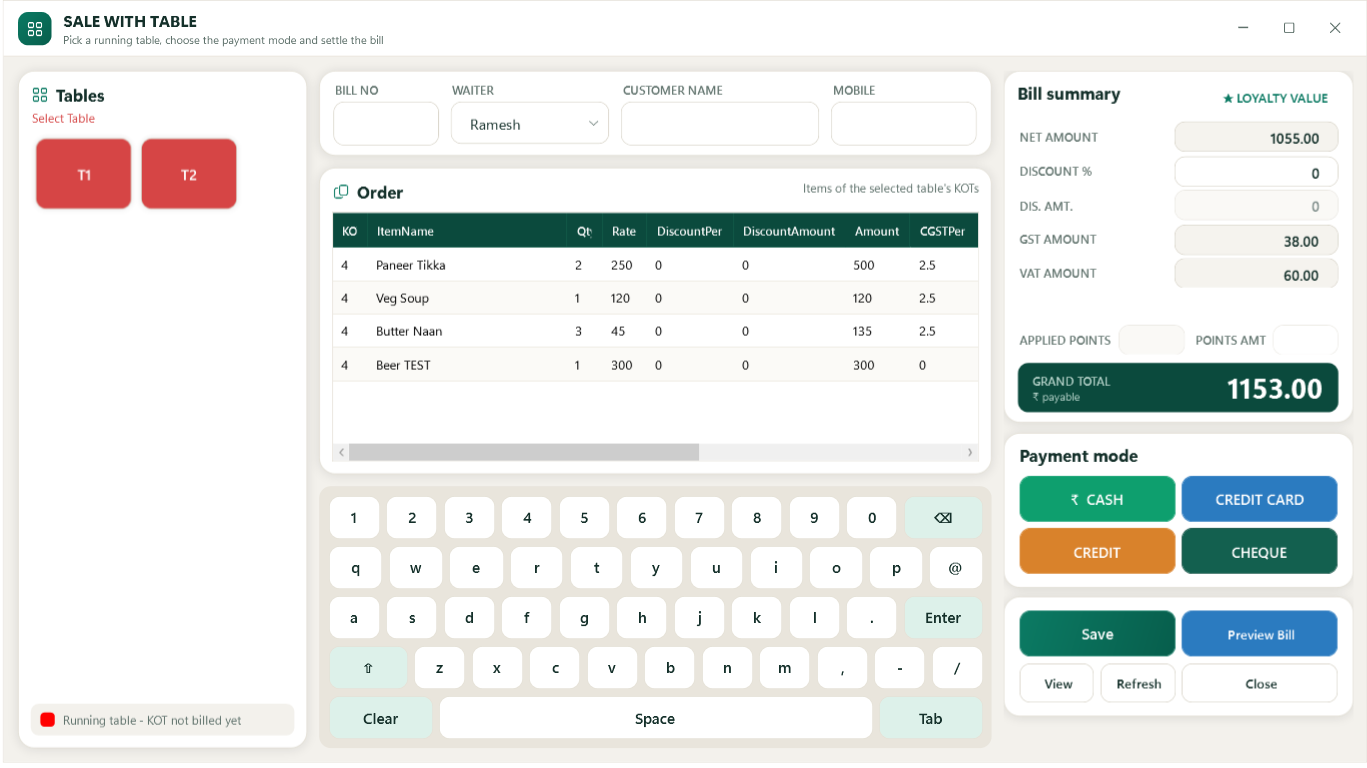
Live floor plan with running tables and amounts. Save prints the KOT; added items print as "KOT - ADDED" with only the new quantities; cancellations need a reason. Move or merge tables in a tap.
Kitchen printers and display
Send food to the kitchen and drinks to the bar automatically by menu category. Use network (IP), USB or shared printers, 58 or 80 mm, or a kitchen display screen with courses (hold and fire) and cooking notes.
Fast counter sale (QSR)
Take-away and counter billing without a table, with a kitchen order for the cooks. A double tap never creates a second bill.
GST and liquor VAT
CGST and SGST from each item's HSN code, cess and MRP items. Liquor goes on a separate VAT invoice with its own number series while food stays on the GST bill.
Any mix of payments
One bill paid by cash, card, UPI and customer credit together - the screen shows what is left or over. UPI QR with the exact amount on the screen and on the bill, with change and references recorded.
Split bill
Split a table equally (one invoice with shares), item by item, or by tax category (food GST / liquor VAT). Each share has its own customer and payment.
Customers, credit and loyalty
Customer credit (khata) with collection against each bill, credit limits, loyalty points, coupons and birthday / anniversary offers.
Add-ons, sizes and price lists
Extra cheese or no onion as options, small / medium / large with their own prices, combos with choices, and happy-hour or festival prices that apply by date and time.
Inventory, wastage and production
Recipes take the ingredients of every bill from stock. Purchases, purchase orders, suppliers, stock count, expiry dates, low-stock alerts, raw and finished-item wastage, batch production.
Returns, shifts and control
Full or partial returns with refunds by payment method. Cashier shifts with opening cash, cash in / out and handover; day close. Manager PIN for discounts, price changes and refunds.
Reports and Tally export
Sales, GST, payments reconciliation, item margin, menu analysis, sales by hour, shifts, reservations and wastage reports; export of vouchers for your accountant / Tally.
Several PCs, backup and safety
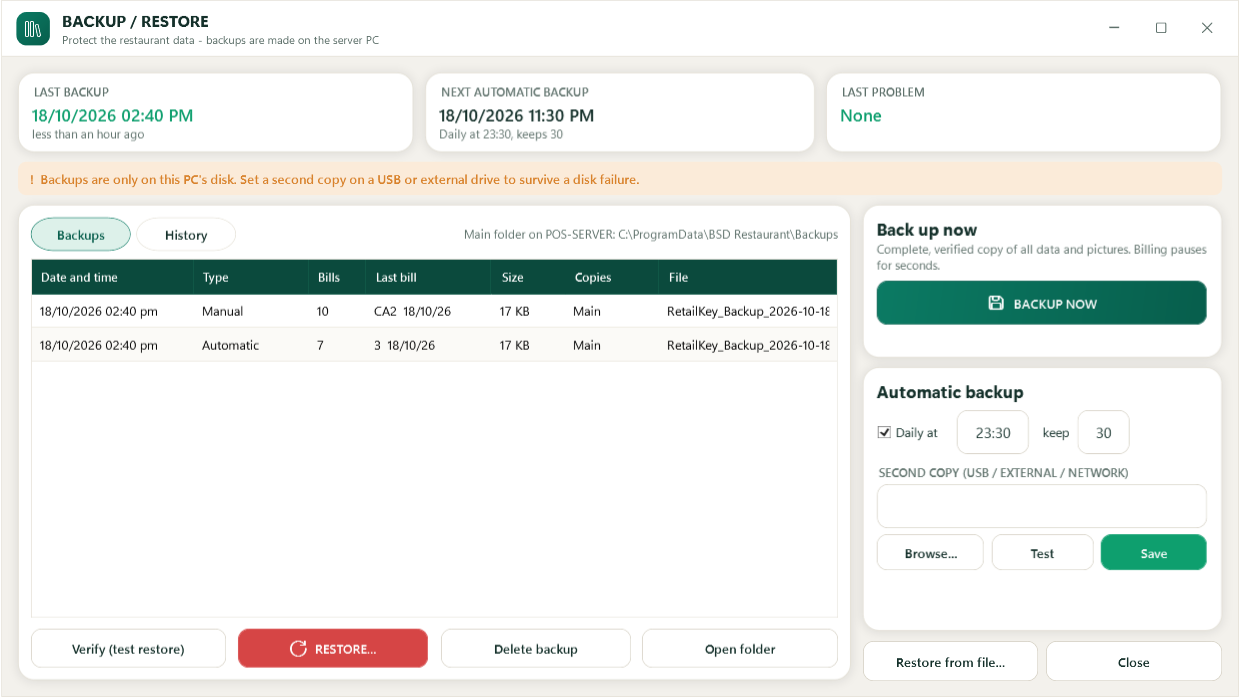
One main PC holds the data and billing PCs on your network bill at the same time (each PC paired once). Verified nightly backup, USB copy, encrypted passwords, version shown on screen.
Coming soon: waiter app on phones, WhatsApp / SMS messages, food costing and cloud reports.
Take Orders at the Table on a Phone
Order at the table
Waiters use RetailKey Dine on an Android phone: floor plan, menu with add-ons and sizes, cooking notes and courses. Send, and the KOT prints in the kitchen at once.
Connected to the main PC
Phones work over your restaurant Wi-Fi with the main PC. Pair each phone once by scanning a QR code; waiters sign in with their PIN.
No lost or double orders
If the Wi-Fi drops, the order stays on the phone as "not sent" and is sent again safely - the kitchen never gets it twice. The cashier sees every table straight away.
Bill at the counter
A waiter can ask for the bill from the phone; it prints at the counter. Moving or merging tables needs a manager PIN.
See the Software
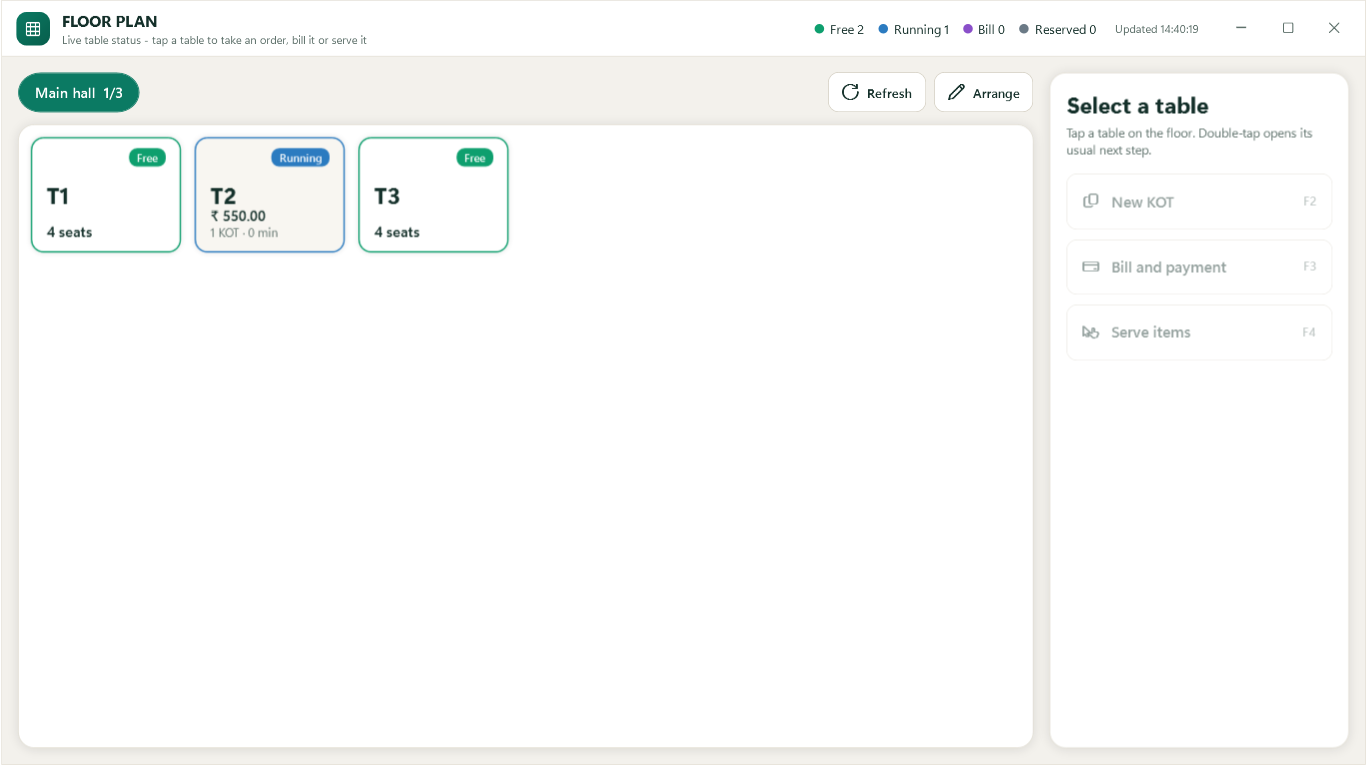
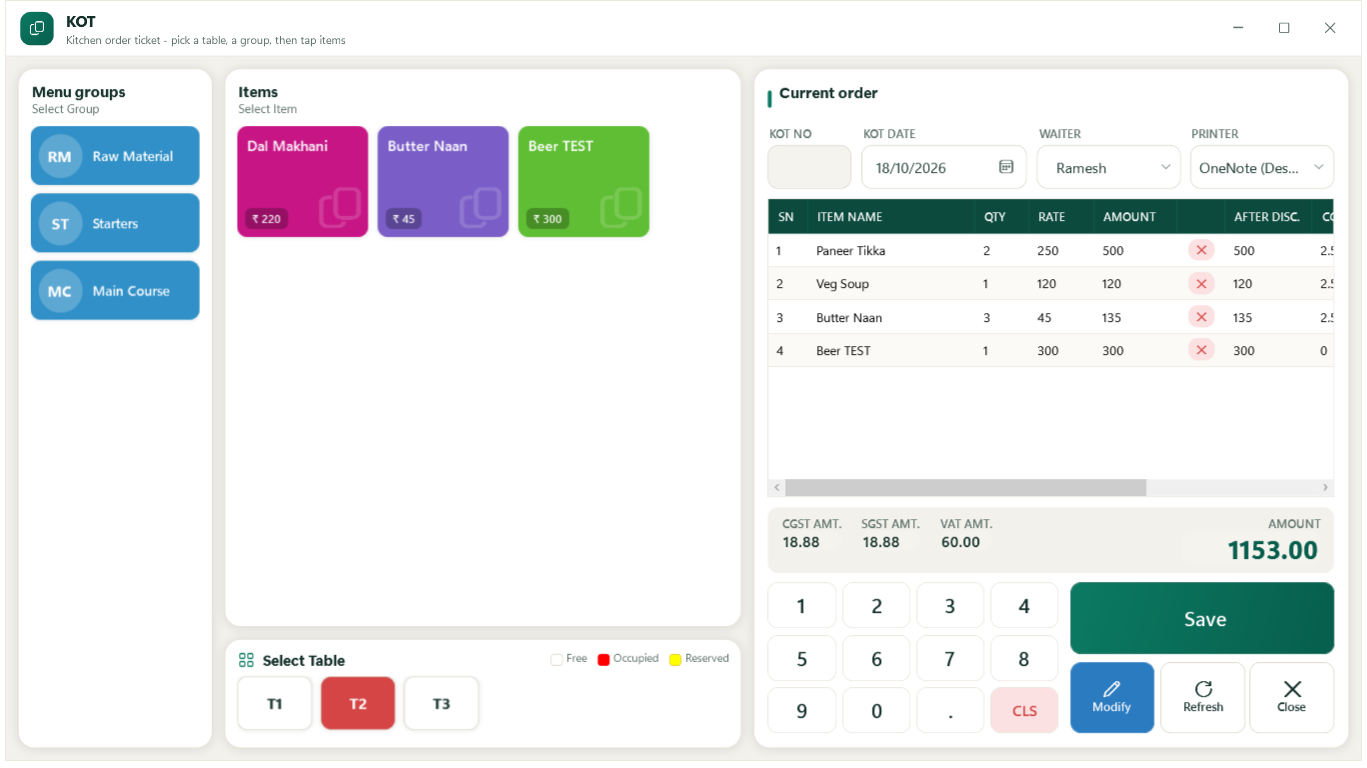
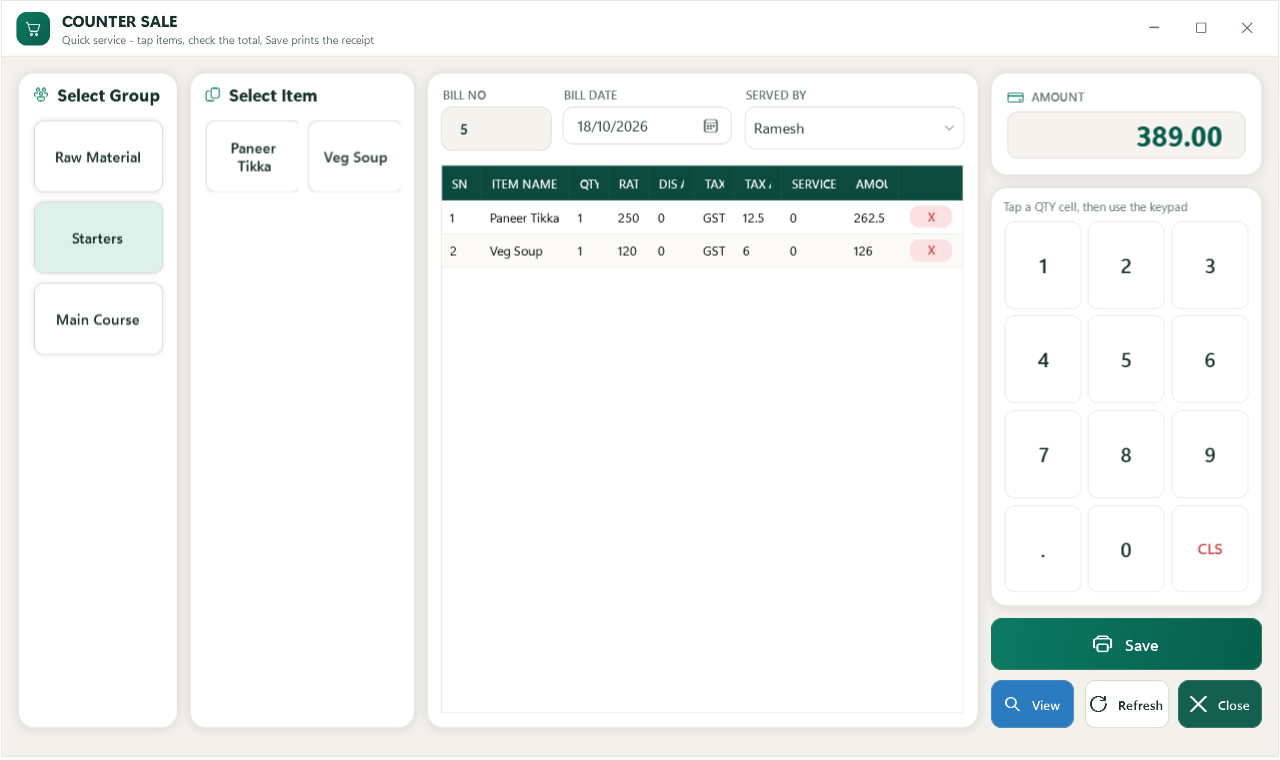
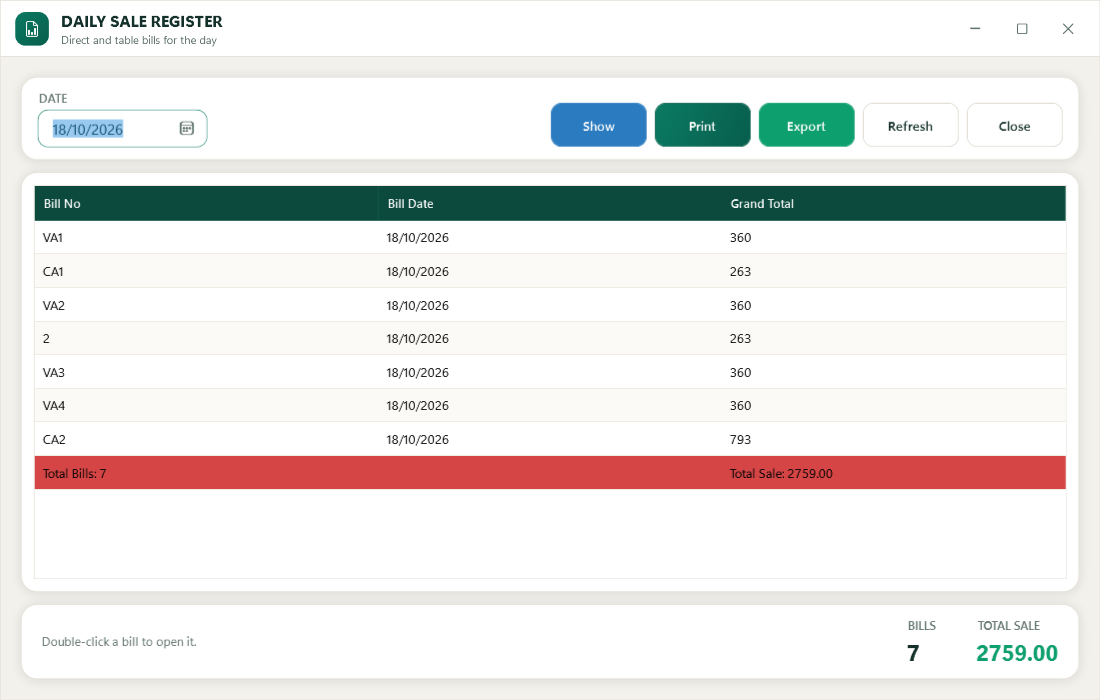
Start Billing in Four Steps
Run the setup on the main PC. It installs the program and an empty database. Sign in with user admin, password admin, then set your own password.
Company details and GSTIN, tables, waiters, taxes (HSN rates), menu groups and items.
Take orders, print KOTs, make bills. Add more billing PCs on your network if you need them.
Before the 15 days end, email your Installation Code to support@bsdinfotech.com for your licence key.
Prefer that we set it up?
We can install it, enter your menu and train your staff, on site in Delhi NCR or remotely.
System Requirements
Windows
| Operating system | Windows 10 or Windows 11, 64-bit, on every PC |
|---|---|
| PC | Main PC: 4 GB RAM or more, 1 GB free disk space. Billing PCs: 4 GB RAM. Touch screen optional. |
| Printers | Any receipt or KOT printer with a Windows driver (thermal 80 mm or 58 mm), or a normal printer |
| Several billing PCs | All PCs on the same local network (LAN or Wi-Fi); choose "Allow other billing terminals on the LAN" when installing on the main PC |
| Internet | Not needed for billing. Only to download the software and to email for the licence key. |
| Backup | Automatic every night on the main PC; a USB or external drive for the second copy is recommended |
Android
| Device | Android 8.0 or later: POS terminal, tablet or phone. A 10-inch landscape POS terminal or tablet is best for the counter. |
|---|---|
| Receipt printer | ESC/POS thermal printer, 58 mm or 80 mm: Bluetooth, Wi-Fi/LAN (fixed IP address, port 9100) or USB |
| Internet | Not needed for billing |
| Backup | Backup in the app; copy it to a USB drive or another place regularly |
Try It Free for 15 Days
Download now, or let us set it up for you with your own menu.